
MCP Integration
Setup
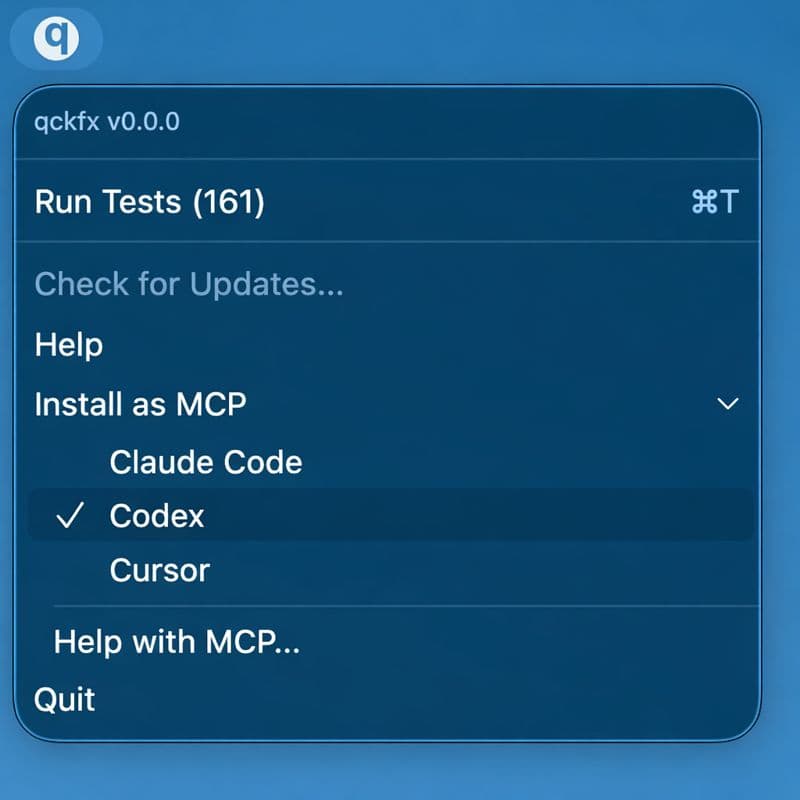
Install qckfx as an MCP server from the menu bar: Install as MCP and choose your agent — Claude Code, Codex, or Cursor. The MCP server starts automatically when qckfx is running.
Tool reference
list_tests()
Returns all saved tests.
Parameters: None
Returns: Array of { id, name, step_count }
run_test(test_id)
Builds the current code on disk, installs it on the simulator, and runs the test asynchronously. Polls for completion and returns results.
| Parameter | Type | Description |
|---|---|---|
| test_id | string | The ID of the test to run |
Returns: run_id, pass/fail status, and visual diff image paths for any failures. The agent should use the Read tool to view diff images.
get_run_status(run_id)
Poll for the status of an asynchronous test run.
| Parameter | Type | Description |
|---|---|---|
| run_id | string | The run ID returned by run_test |
get_run_logs(run_id, ...)
Retrieve console logs from the iOS app captured during the test run.
| Parameter | Type | Description |
|---|---|---|
| run_id | string | The test run ID |
| step | number? | Filter to a specific step (0 = initial state) |
| severity | string? | "error", "warning", or "all" |
| search | string? | Text to search for in log messages |
| limit | number? | Max entries to return (default: 100) |
get_run_requests(run_id, ...)
Get the network request timeline from a test run, with anomaly detection that highlights excessive requests or timing differences compared to the recorded baseline.
| Parameter | Type | Description |
|---|---|---|
| run_id | string | The test run ID |
| anomalies_only | boolean? | If true, only show anomalous endpoints |
Agent workflow
A typical agent workflow using qckfx follows this pattern:
- List tests — Call
list_tests()to discover available tests. - Run a test — Call
run_test(test_id)to build and run the app against a recorded test. - Check failures — If the test fails, examine the visual diff images using the Read tool.
- Examine logs — Use
get_run_logs()andget_run_requests()to debug further. - Fix and re-run — Make code changes and run the test again to verify the fix.